PDF Page Editor
Rearrange, merge, split.
Any PDF, in seconds.
Drop in any PDF. Drag pages to reorder, split off the ones you want, delete what you do not, annotate in place and export one clean file. No desktop install, no uploads sitting on someone else's server forever.
/ Workflow
Three columns. One clean PDF at the end.
Every page is a card. Drop PDFs into the first column, arrange in the second, export from the third. Everything stays visual.
Drop your PDFs
Any file, any size, any mix.
Load a single PDF or a stack of them. Every page renders as a thumbnail in seconds so you can see the whole document at once, not scroll through it page by page.
Arrange the grid
Drag, drop, delete, split, annotate.
Reorder pages by dragging tiles around. Pull pages out into a new document. Delete the blanks and the redundant covers. Add text and shapes directly on any page.
Export one clean PDF
One file. Ready to send.
Hit export and download a tidy PDF that matches exactly what you arranged on screen. No metadata leftovers, no trial watermarks, no leftover pages from the original.
/ Interface
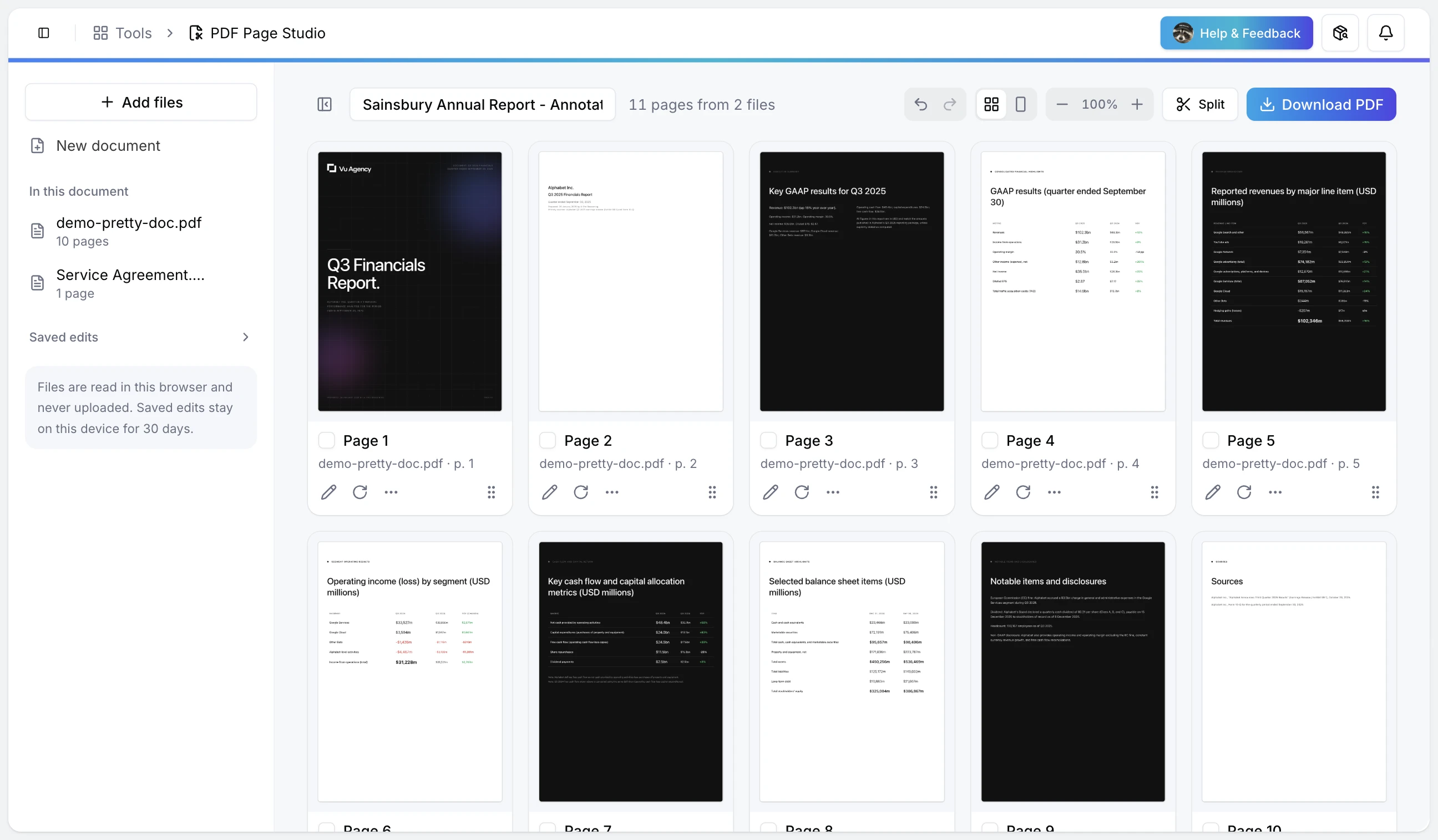
Every page, visible.
Nothing hidden in a menu.
/ Capabilities
Enough tools. None of the bloat.
Designed for the PDF work you actually do. Built to get out of the way once you're done.
Visual page grid
Every page as a thumbnail you can drag. No scroll-and-guess, no sidebar page panel that hides half the document.
Merge and split
Combine multiple PDFs into one, or pull a run of pages out as its own file. Both work from the same grid.
Reorder by dragging
Drop a page anywhere in the document. The grid snaps into place. No cut, paste or re-uploading.
Delete the junk
Blank pages, duplicate covers, legacy headers. Select and remove them in one click each.
Annotate in place
Add text, shapes and highlights directly on any page before you export. Keep the annotation in the final PDF.
Browser-native
Runs in your browser. Nothing to install, no Acrobat licence, no desktop tool to keep up to date.
/ Output
Fast in. Clean out.
/ Get Started
One workspace for
every PDF task.
Merging, splitting, reordering, deleting, annotating and exporting all happen on the same grid. Stop opening four different tools to do one job on one document.
- Drop any PDF 01
- Drag pages around 02
- Split, delete, annotate 03
- Export one clean PDF 04